On this page
What Lean in the office means
Lean office means applying the principles of Lean – value, flow, pull and continuous improvement – to administrative work: order processing, purchasing, invoicing, HR, customer service, planning or IT support. The product is not a part but information or a decision: a quote, a purchase order, an approved invoice, a new employee who has a working laptop on day one.
The principles are the same as on the shopfloor. The difference is that office work is invisible. A pallet of parts waiting in an aisle is hard to overlook; two hundred emails waiting in an inbox, or a contract waiting for a third signature, are not. That is why Lean in administration starts with making the work, and its waste, visible.
When a team follows one real document through its process for the first time, the finding is usually the same: the document is worked on for a short time and spends most of its life waiting – in inboxes, in approval queues, in batches. The work itself is rarely slow. The waiting between the steps is.
Good candidates for a first project are processes that repeat often, cross several desks and have a customer who notices delays:
- Order to cash: quote, order entry, order confirmation, invoicing.
- Purchase to pay: purchase request, approval, order, goods receipt, invoice check, payment.
- Hire to onboard: job offer, contract, user accounts, equipment, first working day.
- Customer complaints and service requests, from first contact to resolution.
- Month-end closing and recurring reports.
The 8 wastes of office work, with examples
The eight wastes, remembered as TIMWOODS, exist in every process. In administration they look like this:
| Waste | In the office | Example | First countermeasure |
|---|---|---|---|
| Transport | Information moved between people, systems and locations | An order is forwarded by email three times before someone processes it | Fewer handoffs; one owner per request |
| Inventory | Work waiting in queues | A pile of invoices waiting for the weekly approval round | Smaller batches; process every day |
| Motion | Searching and switching | Hunting through shared drives for the latest version; switching between systems | 5S for digital files; one source of truth |
| Waiting | Work stopped for input, approval or a system | A purchase request waits days for a signature | Approval rules with thresholds and response times |
| Overproduction | Doing more, or earlier, than the customer needs | A monthly report nobody reads; emails copied to the whole department | Ask each report’s recipient what they actually use |
| Overprocessing | More effort than the customer values | Data typed from a PDF into two systems; four approval levels for small amounts | Remove steps and approvals that add no value |
| Defects | Errors and incomplete information | A supplier invoice without a purchase order number goes back for clarification | Error-proof forms with mandatory fields |
| Skills | Abilities and ideas that are not used | A specialist spends hours on data entry; nobody asks the team how to improve | Involve the team; a simple idea process |
Waste is not a judgement of the people doing the work. Most office waste is built into the process: approval rules nobody has revisited, systems that do not talk to each other, forms designed years ago. That is good news, because a process can be changed. The glossary explains the underlying idea of muda, the Japanese term for waste.
Map the process before you fix it
The usual reflex is to fix symptoms – a new template here, a reminder email there. A process map shows where the real problems are. Keep it simple: sticky notes on a wall or a whiteboard are enough.
- Choose one process and its customerFor example “supplier invoice to payment” or “signed job offer to first working day”. Define where the process starts and where it ends.
- Walk the processFollow a real case from desk to desk and system to system. Ask the people who do the work, not their managers, what really happens.
- Map every step and handoffNote who does what, in which system, and where the work waits. Mark the loops where work comes back for correction.
- Measure two timesThe time someone actually works on the case (process time) and the total time from start to end (lead time). The gap between them is your biggest opportunity.
- Mark the wastesUse the eight wastes as a checklist, mark each one on the map, then decide which problems to tackle first.
Example: a supplier invoice
A typical current-state map of a supplier invoice shows it arriving by email, being printed, scanned, typed into the accounting system, sent to the cost centre manager for approval, returned because the purchase order number is missing, and finally paid. Each person handles it for a few minutes; in between, it waits in inboxes. The improvements follow directly from the map: one shared inbox for invoices, purchase order numbers as a mandatory field for suppliers, approval by rule when an invoice matches its order, and daily processing instead of a weekly batch.
When a process crosses several departments, a value stream map adds the information flows, queues and lead times of the whole chain on one page.
Make work visible: boards, Kanban and WIP limits
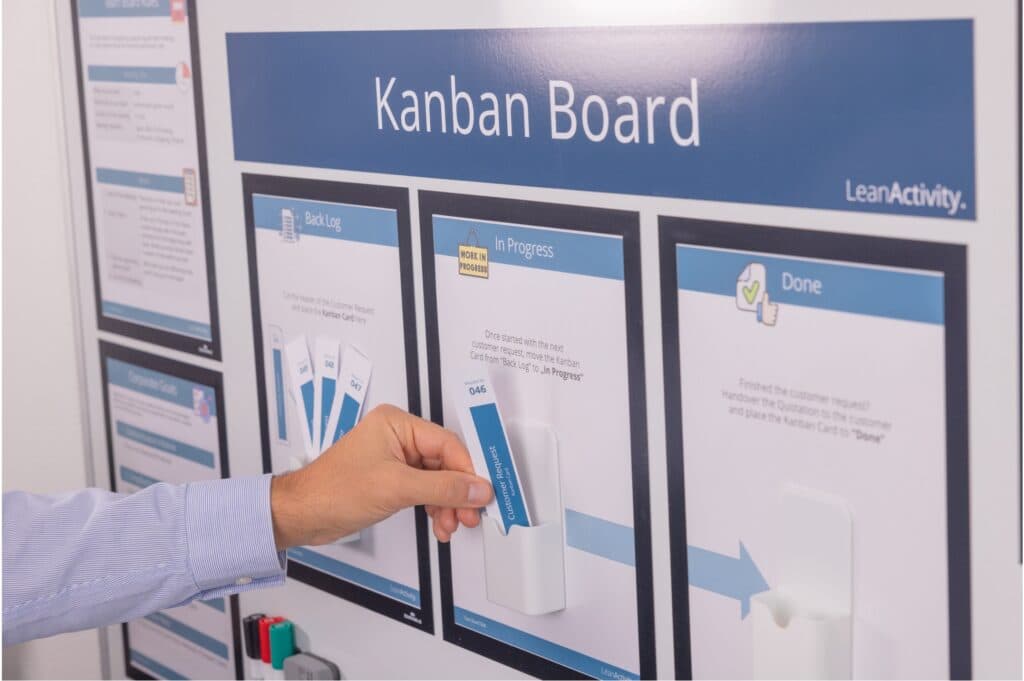
Once the process is understood, make the daily work visible. A team board – physical or digital – with a column for each stage shows what is waiting, what is in progress and where work is stuck. A Kanban board with one card per request is the simplest form:
- Columns for the stages, for example To do, In progress, Waiting for others and Done.
- One card per request, with an owner, a start date and a due date.
- A limit on work in progress. Each person or stage has a maximum number of cards in progress. New work is pulled when something is finished, not pushed onto someone when it arrives.
- A short daily meeting at the board. Ten to fifteen minutes: what is stuck, who needs help, what can be finished today.
The WIP limit is the step most teams skip, and the one that matters most. Starting less means finishing more: fewer tasks in parallel, less switching between them, shorter lead times and fewer forgotten requests.
Standard work and 5S for physical and digital files
Standard work for recurring tasks
Office work feels unique, but most of it repeats: onboarding a new employee, issuing a credit note, closing the month. Standard work captures the current best way to do it, so the result does not depend on who happens to be at the desk:
- Checklists for recurring tasks and for handovers during holidays.
- Templates for frequent documents and emails.
- A clear definition of done: what a complete request looks like before it moves to the next step.
- Short desk instructions with screenshots for rare but important tasks.
5S for physical and digital files
5S works on desks and shelves, but in the office its bigger benefit is digital, where most of the searching happens:
| 5S step | Physical office | Digital office |
|---|---|---|
| Sort | Remove files, forms and equipment nobody needs | Archive or delete old folders, duplicate files and unused templates |
| Set in order | Fixed, labelled places for shared materials | One agreed folder structure and file naming convention |
| Shine | Clean desks and shared areas | Clear inboxes and download folders, remove broken links |
| Standardise | Shared rules for desks and meeting rooms | Rules for versions, storage locations and access rights |
| Sustain | Short regular audits | A named owner per folder area and a regular review |
Short audits keep 5S alive. Our free 5S audit checklist was written for production but is easy to adapt to office areas and shared drives.
Faster approvals and fewer handoffs
Waiting for approvals is one of the most visible wastes in administration, and one of the easiest to reduce:
- Question every approval step. Ask when this approver last rejected or changed a request. If the answer is “rarely”, replace the approval with a clear rule or a spot check.
- Use thresholds. An approval matrix defines who approves what up to which amount; small amounts need one approval or none.
- Approve in parallel, not in sequence. When several people must agree, send the request to all of them at the same time.
- Agree response times. For example, approvals within one working day, with a named deputy when someone is away.
- Get the input right first time. Mandatory fields, drop-down lists and automatic checks prevent incomplete requests – the office version of poka-yoke.
- Reduce batch sizes. Processing invoices every day instead of once a week cuts waiting time and evens out the workload.
A 30-day Lean office plan
You do not need a large programme to start. One team, one process and four weeks are enough to show what Lean can do in administration:
| Week | Focus | Result at the end |
|---|---|---|
| Week 1 | Kick-off: introduce the eight wastes, choose one process with a clear customer, walk it with real cases | A shared understanding of waste and a chosen process |
| Week 2 | Map and measure: build the process map, measure process time and lead time, mark the wastes, agree on three to five improvements | A current-state map with prioritised problems |
| Week 3 | Improve: set up the team board with WIP limits, simplify approvals, write checklists and templates, run a digital 5S on the shared folder | Changes in place and visible on the board |
| Week 4 | Check and standardise: measure lead time again, update the standards, present the results, choose the next process | Measured results and the next improvement cycle |
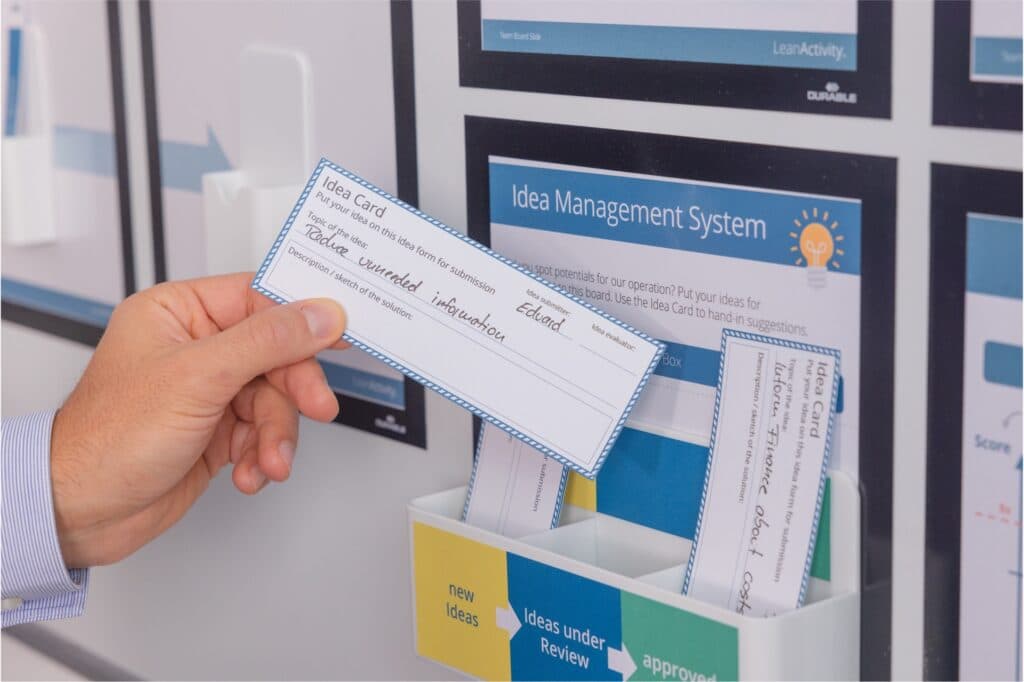
A hands-on kick-off makes week 1 much easier. In the LeanActivity Office Game, a physical simulation of administrative processes for 6 to 12 participants, teams get hands-on experience of Lean in administration in about 4 hours – before they map their own process. Ideas that come up during the 30 days need a home too: a simple idea management process makes sure they are decided and implemented.
Common Lean office mistakes
- Starting with tools instead of a process. A new Kanban app or a tidy-desk rule changes little if nobody has looked at how the work flows.
- Mapping from memory. A process mapped in a meeting room shows how people think it works. Walk real cases instead.
- Measuring people instead of the process. Lean in the office looks at lead time and flow, not at how fast individuals type. People who feel watched hide problems.
- Automating waste. Digitise after you simplify, not before.
- Treating 5S as a tidy-desk campaign. Clean desks are pleasant; a shared drive where everyone finds the current version saves far more time.
- Too many processes at once. One improved process with measured results convinces more people than ten half-finished ones.
- No routine after the project. Without the daily board meeting and regular reviews, the queues grow back.
To build these habits across several teams, combine the 30-day plan with a structured continuous improvement training programme.
Frequently asked questions.
What is Lean office?
Lean office is the application of Lean principles to administrative processes such as order processing, purchasing, invoicing, HR or customer service. The aim is to deliver information and decisions faster and with fewer errors by removing waste, creating flow and improving continuously.
What are the 8 wastes in an office?
The eight wastes, remembered as TIMWOODS, are transport of information between people and systems, inventory of waiting work, motion such as searching for files, waiting for approvals or input, overproduction of reports, overprocessing such as double data entry, defects such as incomplete forms, and the unused skills of employees.
Which Lean tools work in administration?
The most useful are process mapping and value stream mapping, visual management with Kanban boards and limits on work in progress, standard work such as checklists and templates, 5S for physical and digital files, clear approval rules and error-proof forms.
How do you start with Lean in the office?
Choose one process with a clear customer, walk it with real cases, map it and measure process time and lead time. Then remove the biggest wastes, make the work visible on a board and standardise what works. Four weeks are enough for a first cycle.
Does 5S work in the office?
Yes, and especially for digital files. Sorting out old folders, agreeing on one folder structure and naming convention, and running short regular audits reduce the time people spend searching for the latest version of a document.
How can you train office teams in Lean?
A hands-on simulation works better than slides: teams run an office process, experience the wastes and improve the process themselves. Afterwards they apply the same steps to one real process with coaching, so the training turns into measurable results.